
A new flagship smartphone can easily cost more than £1,000 today. For many buyers, spending that much on a phone simply doesn’t make sense, especially when a well-maintained used device can deliver a very similar experience for a fraction of the price.
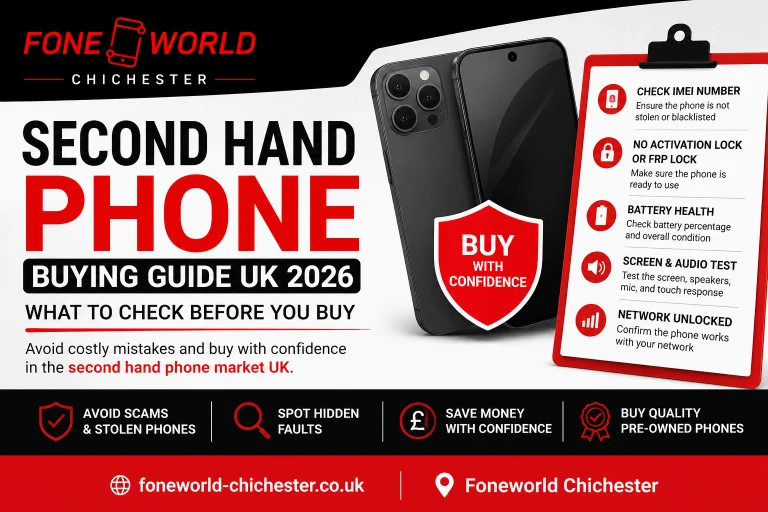
That’s one reason the used phone market UK continues to grow. More people are turning to pre-owned iPhones, Samsung devices, and other smartphones to save money without sacrificing performance. This second hand phone buying guide UK 2026 is designed to help you avoid the mistakes that catch buyers out every day. Stolen phones, hidden faults, poor battery health, screen damage, and locked devices are all common problems in the second hand phone market UK.
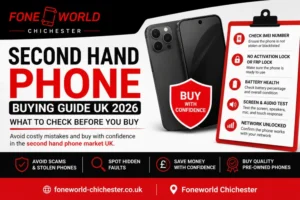
Quick Answer: Before buying a used phone, check the IMEI number, confirm there is no Activation Lock or FRP lock, inspect battery health, test the screen and speakers, and make sure the device is network unlocked. These checks help you avoid most of the problems buyers face when purchasing a second-hand smartphone.
Refurbished vs Second Hand Phone UK: What’s the Difference?
People use these terms interchangeably all the time, they shouldn’t. The difference can mean the gap between finding a great deal and ending up with a phone that needs a battery replacement a few weeks later. Some refurbished phones also receive a fresh battery, while most second-hand phones are sold exactly as received.
Second-Hand vs Refurbished: Not the Same Thing
A second-hand phone has simply been owned before. You might buy one from a private seller, a marketplace listing, or a reseller. Some are barely used. Others come with hidden wear, poor battery life, cosmetic damage, or faults that don’t show up straight away. A refurbished phone has usually been checked before being put back on sale. Testing, cleaning, software resets, condition grading, and sometimes replacement parts. Most also come with a warranty.
| Factor | Second Hand | Refurbished |
|---|---|---|
| Testing | Not guaranteed | Professionally tested |
| Warranty | Rarely included | Usually included |
| Condition | Varies | Grade A, B, or C |
| Price | Lower | Slightly higher |
| Risk Level | Higher | Lower |
Which One Should You Buy?
When it comes to refurbished vs second hand phone Chichester, the extra cost often buys peace of mind. A refurbished device has normally been inspected, graded, and checked before sale. A second-hand phone can still be excellent value, but you’re relying much more on the honesty of the seller and the checks you carry out yourself. If you’re confident inspecting a phone, either option can work. If you want fewer surprises, refurbished is usually the safer bet.
What to Check When Buying a Used Phone UK: Complete Inspection Checklist
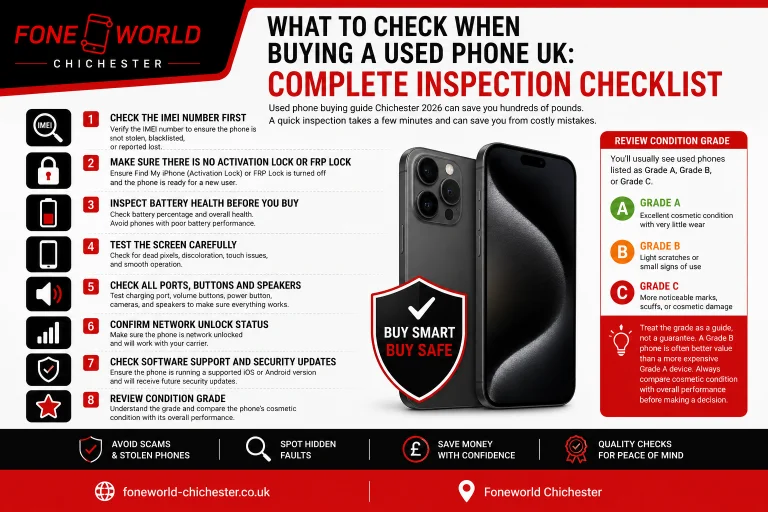
Used phone buying guide Chechister 2026 can save you hundreds of pounds. It can also become a headache if you miss something important before buying. A quick inspection takes a few minutes. It can save you from buying a stolen device, a locked phone, or a handset with a battery that’s already on its last legs.
Check the IMEI Number First
If you’re wondering how to check IMEI number UK, start by dialing *#06# on the phone. You can also find the IMEI in Settings or on the original box. Make sure the IMEI shown in Settings matches the IMEI printed on the box and SIM tray. Once you have it, run the number through services such as CheckMEND, IMEI.info, or the Ofcom IMEI checker. If the phone shows up as blacklisted, walk away. Even if it looks like a bargain. A blocked phone may never connect properly to UK networks, making it almost impossible to use as intended.
Make Sure There Is No Activation Lock or FRP Lock
This is where many buyers get caught out. The phone turns on. The screen looks perfect. Then setup begins and you’re asked for someone else’s account details. On iPhones, this is known as iCloud Activation Lock. If the previous owner hasn’t removed their Apple ID, you won’t be able to set up the device yourself. That’s why an iCloud Activation Lock check should always be part of your inspection.
Android phones have a similar protection feature called Factory Reset Protection (FRP) or Google Account Lock. After a reset, the phone may request the Google account that was previously linked to it. No account details. Before buying, ask the seller to remove all accounts and show that the phone reaches the normal setup screen.
Inspect Battery Health Before You Buy
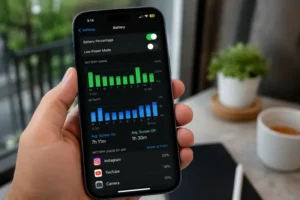
A phone can look spotless and still have a tired battery. That’s why battery health matters. On an iPhone, go to Settings > Battery > Battery Health & Charging. You’ll see the maximum capacity compared with when the device was new. For a battery health check used iPhone, anything above 80% is generally considered acceptable. Below that, shorter battery life becomes much more noticeable. Android phones vary by brand. Samsung, Google Pixel, and other manufacturers provide different levels of battery information, although some models require diagnostic tools to get a clearer picture. A cheap phone isn’t always cheap once a new battery is added to the bill.
Test the Screen Carefully
Screen problems are expensive. Check for them before you pay. Open a white image and then a black image at full brightness. Look for dead pixels, dark spots, discoloration, or uneven brightness. On OLED displays, watch for screen burn. Faint outlines of keyboards, app icons, or status bars are common warning signs. Then test touch response.
Swipe across the entire screen, including the corners and edges. Missed touches, delayed response, or dead areas usually point to display issues. Adjust the brightness up and down as well. The screen should remain clear and consistent at every level.
Check All Ports, Buttons and Speakers
This only takes a few minutes. Plug a charger into the charging port and make sure the connection feels secure. Play music through the speakers at high volume and listen for crackling or distortion. Test every button. Power. Volume up. Volume down. Mute switch if it’s an iPhone. Don’t skip the camera test either. Take photos with the front and rear cameras. Record a short video. Turn the flash on and off. If the phone uses Face ID or a fingerprint sensor, make sure those work properly too.
Confirm Network Unlock Status
An unlocked phone gives you more flexibility. Insert your own SIM card and check whether the device connects to the network. If it only works with one carrier, it may still be locked. A quick phone unlock check UK can save a lot of frustration later. While you’re checking network status, look at 5G network compatibility as well. Most newer phones support 5G, but not all older or budget models do. If you plan to use a digital SIM, confirm that eSIM support is available too.
Check Software Support and Security Updates
Check how long the manufacturer plans to support the device with software updates and security patches. Phones that no longer receive updates become harder to secure and may eventually lose support for banking apps, payment apps, and other essential services. Look up the model before buying and check its expected software update end date. A cheap phone becomes less of a bargain if support ends a few months later.
Review Condition Grade
You’ll usually see used phones listed as Grade A, Grade B, or Grade C.
- Grade A — Excellent cosmetic condition with very little wear
- Grade B — Light scratches or small signs of use
- Grade C — More noticeable marks, scuffs, or cosmetic damage
Treat the grade as a guide, not a guarantee. A Grade B phone is often better value than a more expensive Grade A device. Always compare cosmetic condition with overall performance before making a decision.
How Long Will Software Updates Last on Popular Phones?
A phone can look perfect and still be a poor buy. The reason? Software support. Many buyers focus on storage, cameras, or cosmetic condition. What really matters is how many years of updates are left. A phone that stops receiving updates next year won’t age well, no matter how good the hardware looks today.
People often ask, how long do software updates last iPhone models compared with Samsung and Google Pixel devices. Apple has a strong track record for long-term support. Samsung and Google have improved significantly too, especially on newer flagship models.
| Device | Launch Year | Estimated Support Until |
|---|---|---|
| iPhone 13 | 2021 | ~2027–2028 |
| iPhone 14 | 2022 | ~2028–2029 |
| iPhone 15 | 2023 | ~2029–2030 |
| iPhone 16 | 2024 | ~2030–2031 |
| Samsung Galaxy S23 | 2023 | ~2030 |
| Samsung Galaxy S24 | 2024 | ~2031 |
| Google Pixel 8 | 2023 | ~2030 |
| Google Pixel 9 | 2024 | ~2031 |
Once support ends, the phone stops receiving important security patches. Banking apps, payment apps, and other services may eventually stop working properly on older software versions. Before buying any used handset, check its expected software update end date. A slightly newer model with several years of support remaining is often a better investment than an older flagship nearing the end of its update cycle.
Used Phone Grading System UK Explained
The used phone grading system UK explained simply: it is a shorthand for cosmetic condition, not a measure of performance.
Grade comparison:
| Grade | Cosmetic Condition | Performance | Typical Discount vs Grade A |
|---|---|---|---|
| Grade A | Near mint, minimal marks | Full | — |
| Grade A- | Very light wear, barely visible | Full | 5–10% |
| Grade B | Light scratches, minor scuffs | Full | 15–25% |
| Grade C | Visible wear, marks on screen or frame | Full | 30–40% |
The most common mistake buyers make is assuming Grade C means something is wrong with the phone internally. It does not. A Grade C device with a good battery and full software support can be excellent value. The cosmetic damage is real, but it does not affect day-to-day use.
Grade B tends to offer the best balance. You get a meaningful price reduction compared to Grade A, and the cosmetic condition is usually acceptable for most buyers.
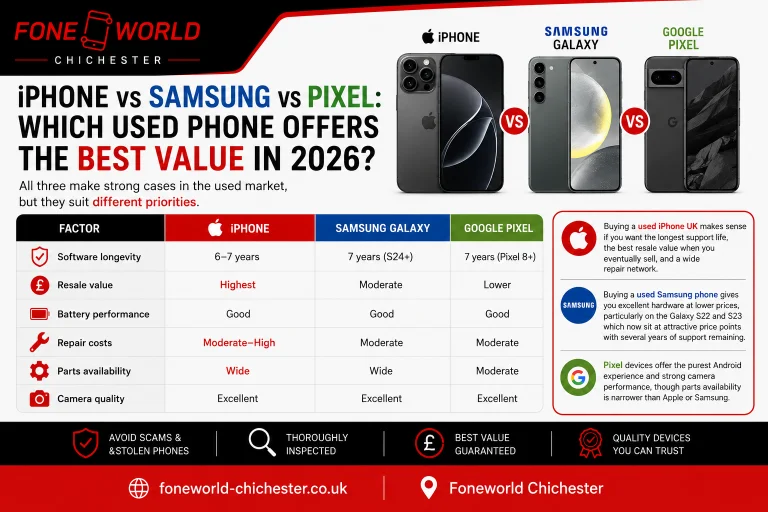
iPhone vs Samsung vs Pixel: Which Used Phone Offers the Best Value in 2026?
All three make strong cases in the used market, but they suit different priorities.
Comparison table:
| Factor | iPhone | Samsung Galaxy | Google Pixel |
|---|---|---|---|
| Software longevity | 6–7 years | 7 years (S24+) | 7 years (Pixel 8+) |
| Resale value | Highest | Moderate | Lower |
| Battery performance | Good | Good | Good |
| Repair costs | Moderate–High | Moderate | Moderate |
| Parts availability | Wide | Wide | Moderate |
| Camera quality | Excellent | Excellent | Excellent |
Buying a used iPhone UK makes sense if you want the longest support life, the best resale value when you eventually sell, and a wide repair network. Buying a used Samsung phone gives you excellent hardware at lower prices, particularly on the Galaxy S22 and S23 which now sit at attractive price points with several years of support remaining. Pixel devices offer the purest Android experience and strong camera performance, though parts availability is narrower than Apple or Samsung.
Is It Safe to Buy a Second Hand Phone UK?
Yes, provided you follow the right checks and buy from the right source. The risks with used phones are real but manageable. Private seller purchases carry the most risk. There is no warranty, limited recourse if something goes wrong, and no formal testing process. Buying from a trusted retailer, particularly one that grades devices, runs IMEI checks, and offers a return policy, removes most of that risk. The price may be slightly higher than a private sale, but the confidence you get is worth it.
Red flags to watch for: a seller who refuses to let you run an IMEI check, a price that seems too far below market value, a device that cannot be powered on for inspection, and any seller who cannot confirm the device is unlocked or Activation Lock-free.
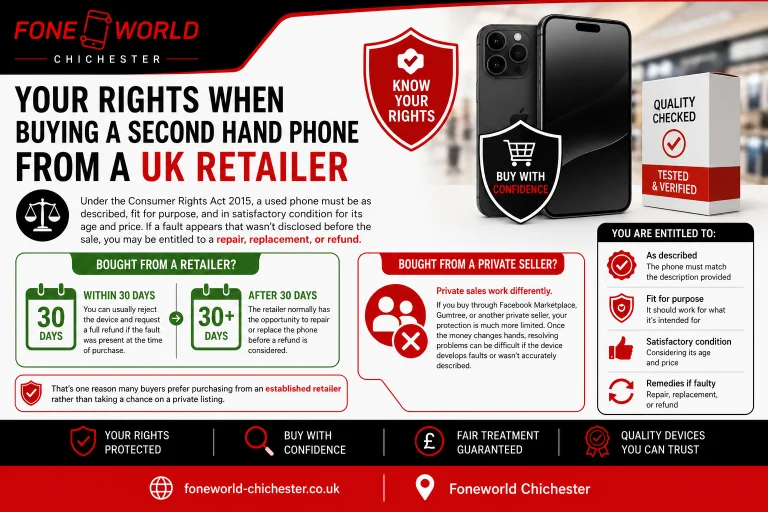
Your Rights When Buying a Second Hand Phone from a UK Retailer
Under the Consumer Rights Act 2015, a used phone must be as described, fit for purpose, and in satisfactory condition for its age and price. If a fault appears that wasn’t disclosed before the sale, you may be entitled to a repair, replacement, or refund. Bought the phone from a retailer and discovered a problem within 30 days? You can usually reject the device and request a full refund if the fault was present at the time of purchase. After the first 30 days, the retailer normally has the opportunity to repair or replace the phone before a refund is considered. Private sales work differently.
If you buy through Facebook Marketplace, Gumtree, or another private seller, your protection is much more limited. Once the money changes hands, resolving problems can be difficult if the device develops faults or wasn’t accurately described. That’s one reason many buyers prefer purchasing from an established retailer rather than taking a chance on a private listing.
What to Do After Buying a Used Phone
Got the phone home? A few checks are still worth doing. If the device hasn’t already been wiped, start with a factory reset. That clears any leftover data and gives you a clean starting point. Install any available software updates next. You’ll get the latest operating system, current security patches, and any important bug fixes. Then sign in with your Apple ID or Google account. Turn on two-factor authentication while you’re there. Make sure Find My iPhone or Find My Device is enabled too. If the phone ever goes missing, you’ll have options to locate it, lock it, or erase your data remotely.
Why Buy Your Next Phone from Fone World Chichester?
Buying a used phone is easier when you can see it before handing over your money. At Fone World on East Street, Chichester, every handset is checked before it goes on sale. That includes IMEI checks, battery health testing, screen inspection, hardware testing, and condition grading. You can pick the phone up, inspect it yourself, and ask questions before making a decision. No relying on a few photos and a short description.
If you’re looking to buy second hand iPhone Chichester, or you’re comparing used Android devices, having someone walk you through the condition of the phone can be helpful. Especially when you’re spending a few hundred pounds. Many people searching for a used phone shop Chichester want something online sellers can’t offer, the chance to see the device in person and get support if they need it afterwards. Pop into the shop, compare your options, and find a phone that suits your budget without the guesswork.
Conclusion
The used phone market offers genuinely good value in 2026, but only if you know what you are looking at before you buy. IMEI checks, lock verification, battery health, screen condition, and software support timelines are the core of any sensible buying decision.
This second hand phone buying guide UK 2026 gives you everything you need to buy with confidence and avoid the most common and costly mistakes. If you’re still wondering how to buy a second hand phone in the UK 2026, the safest approach is simple: check the IMEI, verify battery health, confirm the phone is unlocked, and buy from a seller you trust. Visit Fone World on East Street our team is there to help you find the right phone at the right price, no pressure, just straightforward advice.