


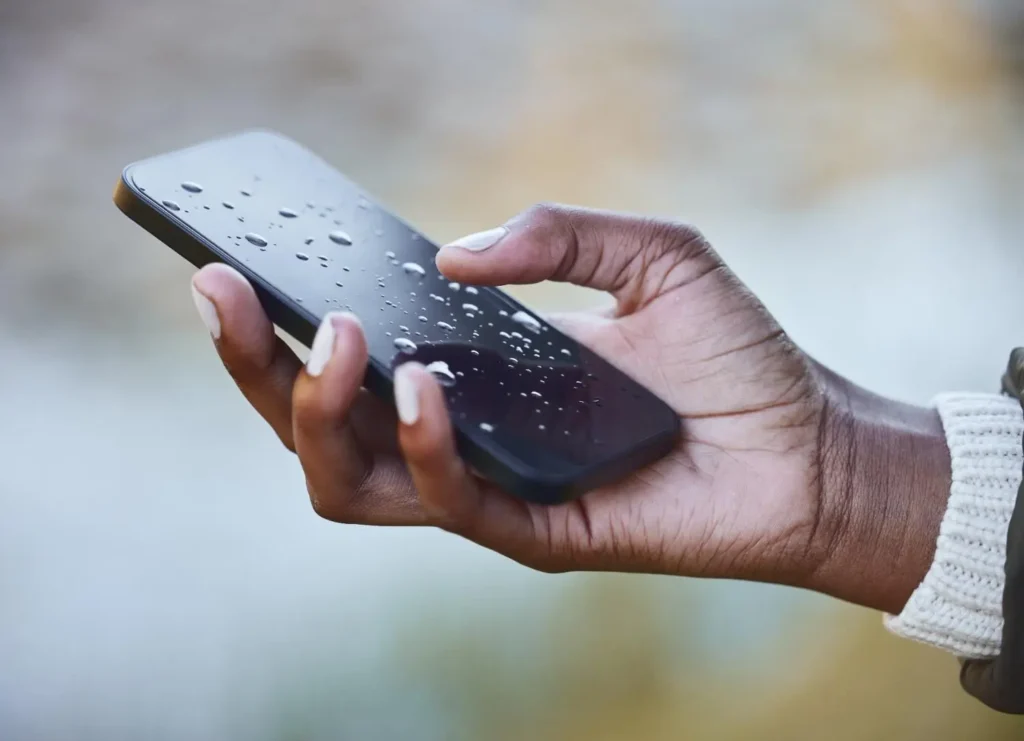
That split-second moment when your phone hits water is something nobody forgets. Your stomach drops. You grab it fast. And then the panic sets in because you have no idea whether it’s gone for good or whether you can still save it.
Here’s the truth that others won’t tell you: what you do in the next five minutes matters more than anything you do after that. The wrong move can turn a fixable situation into a permanent loss. The right move can save a phone that looks completely dead.
I’ve seen both outcomes hundreds of times at Fone World. Some water damage phone repair cases that looked hopeless came back to life. Others that seemed fine died three days later because of mistakes made right after exposure. This guide gives you the real picture, not just the rice advice.
Let’s start with what actually matters right now.
What Should You Do Based on Your Situation Right Now?
Not every water damage situation is the same. The right action depends entirely on when you’re reading this.
If Your Phone Just Fell in Water (Within 5 Minutes)
This is the window where you can genuinely make a difference.
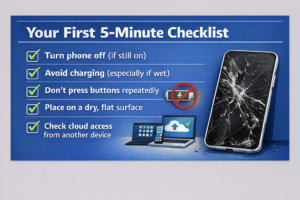
- Turn off your phone immediately. Do not check if it works.
- Do not take a photo. Power it off.
- Remove the SIM card and any SD card right away
- Do not press any buttons repeatedly
- Do not shake it to remove water (this spreads moisture internally)
- Gently pat the outside dry with a soft cloth
The goal here is one thing: to prevent a short circuit. Water alone does not destroy phones. Electricity passing through water-covered circuits does. Cutting power fast is the most important step you can take.
If Your Phone Was in Water for a Long Time
If the phone sat in water for more than a few minutes, the risk of internal moisture damage is significantly higher. Skip the DIY delay and move faster toward professional inspection.
Do not plug it in hoping it will work. Do not turn it on to check. The charging port and internal circuit board are already compromised. Every minute you wait increases the chance of corrosion setting in permanently.
If Your Phone Still Works After Water Exposure
This is actually the situation people handle worst. The phone turns on, everything seems fine, and they assume they got lucky.
You might not have. Water damage symptoms often show up 24 to 72 hours later as moisture reaches deeper components. Keep the phone off anyway, dry it properly, and monitor it closely for the next 48 hours before calling it safe.
How Timing Affects Water Damage in Phones
Most people focus on what they do right after the phone gets wet. But the timing of your response matters just as much as the action itself.
First 5 Minutes
Damage is still mostly surface-level. If you power down immediately and begin the drying process, full recovery is genuinely possible.
First 1 Hour
Moisture begins spreading internally through capillary action. It reaches the motherboard, battery, and connectors. The risk of oxidation increases significantly.
After 24 Hours
Corrosion begins to form on metal contacts. This is where damage becomes harder and sometimes impossible to reverse. Corrosion in the phone creates resistance that blocks electrical signals even after the moisture is gone.
Why Delay Kills Your Phone Slowly
A phone that works today after water exposure can fail in three days. That is not bad luck. That is corrosion doing its job quietly while you think everything is fine. This is exactly why a professional technician’s diagnosis early makes a real difference.
What Actually Happens Inside Your Phone After Water Damage?
Understanding this changes how you respond.
Water Does Not Kill Instantly. Corrosion does.
Pure water is actually a poor conductor of electricity. What makes it dangerous inside a phone is the minerals, salts, and debris it carries. These create conductive paths across circuits that should be isolated from each other, causing short circuits and component failure.
How Circuits Slowly Fail
When internal moisture damage reaches the circuit board, it starts a slow chemical reaction. Metal contacts begin to oxidize. The liquid damage indicator inside your phone turns pink or red as evidence. Connections that carried clean electrical signals start to degrade, producing erratic behavior like a touchscreen not working, a speaker muffled after water, or random shutdowns.
Why Problems Appear Days Later
The motherboard has many layers. Surface moisture dries relatively fast. But moisture trapped between layers, inside connectors, or beneath chips evaporates much more slowly. By the time it reaches a critical component, it may have been days since the original exposure.
At Fone World, we see delayed damage cases constantly. Someone brings in a phone that “worked fine for two days” before everything stopped. This is not unusual; it is predictable.
Is Putting Your Phone in Rice a Good Repair Method?
Let’s settle this properly because the rice advice has caused genuine harm.
Why Rice Became Popular
Rice absorbs atmospheric moisture reasonably well. That logic got applied to phone drying, and the idea spread because it is simple and available in every kitchen.
Rice vs Silica Gel: Real Comparison
Method | Moisture Absorption | Risk | Effectiveness |
Uncooked rice | Low to moderate | Rice dust enters the port | Poor |
Silica gel | High | Minimal | Good |
Air drying (room temp) | Moderate | None | Moderate |
Professional ultrasonic cleaning | Complete | None if done right | Excellent |
Rice does not reach internal moisture. It only affects surface-level humidity around the phone. Meanwhile, rice dust and starch particles can enter the charging port and speaker openings, adding a new problem to an existing one.
Silica gel packs are a meaningfully better option if professional help is not immediately available. They absorb more moisture faster and do not introduce contaminants.
What Is the Correct Way to Dry a Water-Damaged Phone?
Step-by-Step Safe Drying Method
- Power off the phone completely
- Remove the SIM card, SD card, and case
- Pat the exterior gently with a lint-free cloth
- Place the phone upright in a container with silica gel packs
- Leave in a dry, room-temperature environment for 24 to 48 hours
- Do not disturb it during this period
Air Drying vs Heat Drying
This matters more than most people realize. Avoid heat drying completely.
A hair dryer forces hot air into the phone. Heat above 40 degrees Celsius begins damaging the battery and can warp internal components. Heat damage from drying attempts is one of the most common secondary injuries we repair at Fone World, often worse than the original water damage.
Air drying at room temperature is slower but safe. Combine it with silica gel for the best results without professional equipment.
Common Drying Mistakes
- Using a hair dryer or placing a phone in an oven
- Charging the phone to “test” it
- Turning it on repeatedly to check progress
- Blowing into the charging port (adds more moisture from breath)
- Shaking the phone to remove water (spreads it further)
Not every water damage situation is the same. The right action depends entirely on when you’re reading this.
What Are the Signs Your Phone Needs Professional Water Damage Repair?
DIY methods work best for mild, surface-level exposure. These signs tell you that you need professional help.
- Phone not working after water exposure despite drying
- Charging port wet fix attempts failed, and the phone still won’t charge
- The screen shows discoloration or lines, or the touchscreen is not working
- Speaker muffled after water and not improving after 48 hours
- The phone turns on but restarts randomly
- Visible corrosion around the SIM tray or charging port
- Battery damage, water exposure, and symptoms like rapid drain
If you are seeing two or more of these, stop the DIY approach. The longer you wait, the more corrosion spreads to additional components.
Can you fix a water-damaged phone at home, or do you need repair?
When DIY Works
- The phone was in water very briefly (under 30 seconds)
- Exposure was to clean, fresh water, not saltwater
- The phone was powered off at the time of exposure
- No signs of internal damage after 48 hours of drying
When Professional Repair Is Required
- Phone fell in saltwater, pool, or toilet
- The phone was on during exposure
- Phone not turning on after full drying period
- Any charging, screen, or speaker symptoms persist
- Motherboard corrosion is suspected
Saltwater damage is particularly aggressive. Salt accelerates corrosion and requires ultrasonic cleaning with isopropyl alcohol to properly remove. This is not something that can be done at home without the right equipment.
How Do Repair Technicians Fix Water-Damaged Phones?
This is what actually happens at a professional level, and understanding it helps you appreciate why DIY has limits.
Internal Cleaning Process
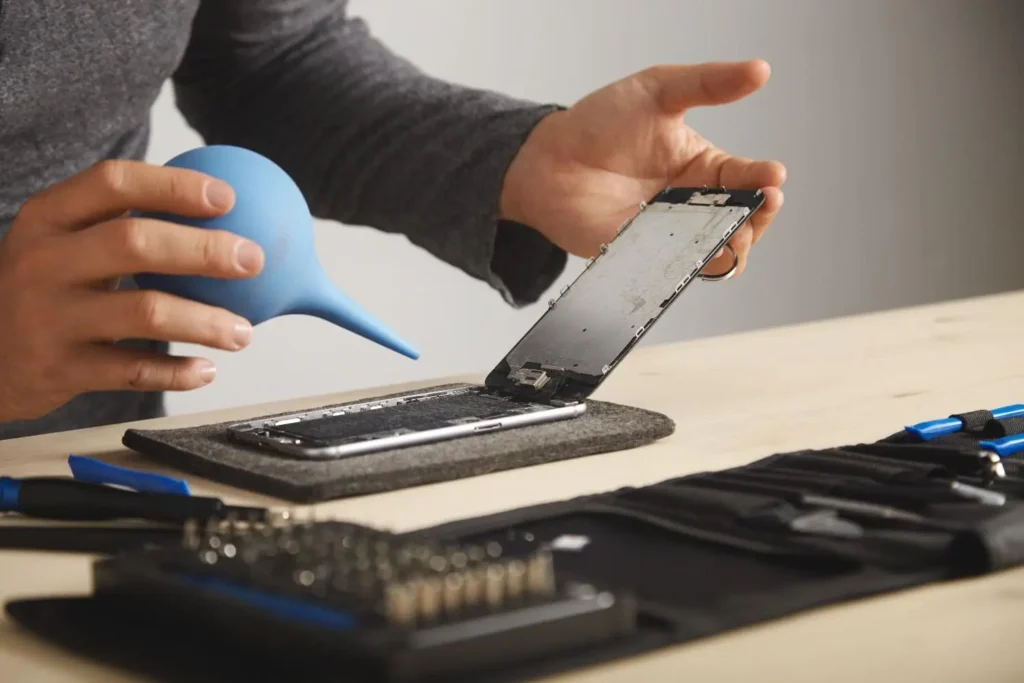
A trained technician opens the device and visually inspects every component. They check the liquid damage indicator, assess corrosion levels on the circuit board, and identify which components have been compromised.
Ultrasonic Cleaning Explained
Ultrasonic cleaning uses high-frequency sound waves in a bath of isopropyl alcohol or specialized cleaning solution. The microscopic vibrations reach into areas no tool or cloth can access, removing moisture, mineral deposits, and early-stage corrosion from the motherboard and all attached components.
This is the single most effective method for phone water damage repair, and it is only available with professional equipment.
Component Replacement
After cleaning, technicians test each component. Depending on severity, the battery, charging port, display screen, or connectors may need replacement. In serious cases, individual components on the motherboard itself are replaced through micro-soldering.
At Fone World, we handle everything from basic cleaning to full board-level repair. We give you an honest assessment of what is actually needed before we do anything.
How Much Does Water Damage Phone Repair Cost?
Repair Cost Breakdown
Repair Type | Fone World Cost | Apple or Samsung Official |
Basic cleaning and drying | $30 to $60 | $100 to $150 |
Charging port replacement | $50 to $90 | $149 to $250 |
Screen replacement | $70 to $180 | $200 to $400 |
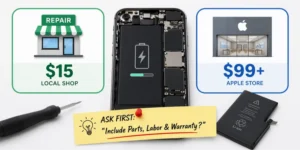
Battery replacement | $50 to $100 | $99 to $199 |
Motherboard repair | $100 to $250 | Often not offered |
Full professional cleaning | $60 to $120 | $150 to $200 |
Note: Prices are approximate and may slightly change as per the complexity of the repair.
iPhone vs Android Comparison
iPhone water damage repair generally costs more due to Apple’s proprietary components and pairing requirements. Android devices like Samsung Galaxy often have more accessible parts, which lowers repair costs in most cases.
Is repair worth it, or should you replace?
Repair makes sense when:
- The phone is under 2 years old
- Damage is limited to the port, battery, or display
- The repair cost is under 50% of the current device value
Replacement makes more sense when:
- Saltwater caused severe motherboard corrosion
- Multiple components failed simultaneously
- The phone is 4 or more years old
Sometimes the honest answer is that spending on repairs is just delaying the inevitable. At Fone World, we will tell you that directly rather than taking your money for a repair that won’t last.
What Mistakes Make Water Damage Worse?
Most people make at least one of these mistakes without realizing it. Each one can turn a recoverable situation into permanent damage.
Charging too early is the most damaging mistake. Passing electricity through a wet circuit board causes immediate and often permanent short-circuit damage.
Using heat tools like hair dryers or placing the phone in sunlight causes heat damage to the battery and can melt internal adhesive holding components in place.
Pressing buttons repeatedly to check if the phone works pushes moisture deeper into the device through the button gaps.
Blowing into the charging port introduces warm, humid air directly into the most sensitive entry point of the phone.
Common Water Damage Myths That Can Destroy Your Phone
Myth: Rice Fixes Everything
Rice absorbs some atmospheric moisture around the phone. It does not pull internal moisture damage from the motherboard or circuit board. Meanwhile, it can introduce rice dust into ports. It is better than nothing, but far worse than proper drying methods.
Myth: If the Phone Turns On, It Is Fine
This is the most dangerous myth. Phones can function normally for 24 to 72 hours after water damage before corrosion shuts down critical components. A working phone is not a safe phone until it has been properly dried and ideally inspected.
Myth: Heat Dries Phones Faster and Better
Heat evaporates moisture faster. It also damages lithium-ion batteries, warps display components, and melts the waterproof seal that was protecting your phone. The cure becomes worse than the condition.
When Water Damage Is No Longer Fixable
Not every water-damaged phone can be saved. Knowing when repair is no longer possible helps you make a faster, smarter decision instead of spending money on a lost cause.
Signs of permanent damage:
- The phone shows no response to charging or the power button after full drying
- Burnt smell from the device
- Visible green or white deposits (oxidation) on the motherboard
- The screen is completely black with no backlight response
- Multiple components fail simultaneously, even after professional cleaning
If you are seeing these signs, the conversation shifts from repair to data recovery. Your contacts, photos, and files may still be retrievable even if the phone itself cannot be saved.
At Fone World, we offer data recovery as a separate service. We have recovered data from phones that were completely non-functional after water damage.
How to Recover Data From a Water-Damaged Phone
If the Phone Still Turns On
Connect to iCloud or your Google account immediately and trigger a backup before anything else potentially fails. Use data recovery software to create a local backup on your computer.
If the Phone Is Completely Dead
This requires hardware-level data recovery. A technician can sometimes directly access the storage chip even when the phone does not power on. Success depends on whether the storage component itself was damaged.
Cloud backup before any damage occurs is the real answer here. If your data is already backed up, losing the physical phone becomes a hardware cost rather than a personal loss.
Real Situations People Faced After Water Damage
Quick Action Saved the Phone
A customer brought his Samsung Galaxy into Fone World within 20 minutes of it falling into a sink. He had powered it off immediately and placed it in a cloth. We did a full professional cleaning with isopropyl alcohol. The phone was returned the same day fully functional with zero data loss.
How to Prevent Water Damage in the Future
- Use a water-resistant case rated for your activity level
- Understand your phone’s IP rating and its actual limits
- Never charge near water sources
- Back up to cloud backup weekly, so data is never at risk
- Keep your phone away from steamy bathrooms and poolside tables
- Consider waterproof pouches for outdoor activities
IP ratings are not a guarantee of waterproofing. IP68 means the device was tested at specific depths for specific durations. Real-world conditions vary, and those ratings do not account for damaged seals from drops or previous repairs.
The Bottom Line
A wet phone repair situation is never as simple as it looks from the outside. The phone that works today can fail tomorrow. The phone that seems dead might still be saveable. Timing and the right response make all the difference.
Start with the basics: power off, remove the SIM, and avoid heat and charging. Use silica gel if you have it. Then be honest with yourself about whether the situation calls for professional help.
At Fone World, we handle mobile water damage repair every day. We run a free diagnostic first, tell you exactly what is damaged and what it will cost, and give you a straight answer about whether repair or replacement makes more sense for your situation. Same-day service is available for most water damage cases.
If your phone has water damage right now, bring it into Fone World today. The sooner we look at it, the better your chances of walking out with your phone fully working and your data completely intact.
Frequently Asked Questions
Can a water-damaged phone be repaired?
Yes, in most cases. If treated quickly and correctly, water-damaged phones can be fully recovered. The key is acting fast, avoiding heat and charging, and getting professional cleaning done early. Delayed action increases corrosion risk significantly.
How long should I dry my phone?
At least 24 to 48 hours in a dry environment with silica gel packs before attempting to power it on. Shorter drying times risk turning on a still-wet device, which can cause immediate short-circuit damage to internal components.
Does rice really work for water damage?
Not effectively. Rice only absorbs surface humidity, not internal moisture. It can also introduce dust into charging ports. Silica gel is a better home option, but professional ultrasonic cleaning is the only method that fully removes internal moisture.
Can I charge my phone after water damage?
No. Never charge a wet or recently wet phone. Charging passes electricity through a potentially water-covered circuit board, which causes immediate short-circuit damage. Wait until the phone has been fully dried and ideally professionally inspected first.
What are the early signs of water damage?
Watch for charging issues, muffled speaker audio, touchscreen glitches, random restarts, foggy camera lenses, and discoloration under the screen. These signs may appear immediately or develop gradually over 24 to 72 hours after exposure.
Is water damage permanent?
Not always. Minor exposure treated quickly is often fully repairable. Severe or delayed cases involving motherboard corrosion can be permanent. Acting within the first hour gives you the best chance of full recovery without permanent component loss.
Can I fix water damage at home?
For very brief, clean-water exposure, careful drying with silica gel may be enough. For anything involving saltwater, long submersion, or a phone that was on during exposure, professional repair is necessary. Home fixes have real limits.
How much does water damage repair cost?
At Fone World, basic cleaning starts from $30 to $60. More complex repairs involving charging ports, screens, or battery replacement range from $50 to $180. Motherboard-level work can reach $250. We diagnose for free before quoting anything.
What happens inside a wet phone?
Water reaches the circuit board and begins a corrosion process. Mineral deposits create unintended electrical paths, causing short circuits. Components like the battery, display, and charging circuit begin to fail as oxidation spreads across metal contacts.
Can data be recovered from a water-damaged phone?
Often yes. If the storage chip is undamaged, data can be recovered even from a completely dead phone. Cloud backups make this easy. Without a backup, hardware-level recovery is sometimes possible. Fone World offers data recovery as a service.
Not every water damage situation is the same. The right action depends entirely on when you’re reading this.
Should I open my phone to dry it?
Not unless you are a trained technician. Opening a phone incorrectly risks damaging fragile connectors, cables, and seals. It can also void any remaining warranty. Leave internal access to professionals who have the right tools and experience.
Is heat safe for drying a phone?
No. Heat above safe thresholds damages the lithium-ion battery, warps display components, and melts waterproof seals. Always dry at room temperature using silica gel or seek professional help. A hair dryer causes more harm than the water itself in many cases.
What is the fastest safe drying method?
Silica gel packs in a sealed container for 24 to 48 hours are the fastest effective home method. Professionally, ultrasonic cleaning with isopropyl alcohol achieves thorough results the same day. That is what we use at Fone World for water damage cases.
Are waterproof phones fully safe from water damage?
No. IP ratings are tested under controlled lab conditions. Real-world drops, damaged seals from previous impacts, and prolonged submersion beyond rated limits all reduce protection. Even IP68 phones can suffer internal water damage in the right conditions.
What if my phone works but acts strangely after getting wet?
Do not assume it is fine. Strange behavior after water exposure often signals early-stage corrosion reaching internal components. Power it off, dry it properly, and have it inspected professionally within 24 hours. Waiting usually turns a minor issue into a major repair.