



I didn’t think much of it at first. My phone dropped to 30%, then just switched off. No warning. I was out, needed directions, and suddenly had nothing to rely on. That’s when it hits you, something’s off. It usually starts small. Battery doesn’t last like it used to. Maybe it dips quicker than expected, or your phone shuts down at 20 percent battery even though it showed plenty left. Easy to ignore. Most people do. Until it gets inconvenient.
Batteries don’t fail in one go. They wear down quietly. And by the time you notice it properly, your phone’s already unreliable. This guide breaks down the real signs your phone battery needs replacement, so you can catch it early and avoid getting stuck when it matters. Once you recognise these phone battery replacement signs, it’s easier to decide what to do next.
Why Your Phone Battery Drains Fast (And When It’s a Real Problem)
You don’t usually notice it in one go. It creeps in. One day your phone feels fine, and the next, the battery just doesn’t hold up. If you’ve been wondering why is my phone battery draining so fast all of a sudden, In most cases, it’s one thing, apps or the battery itself.
Here’s how to tell the difference:
- Drains mainly when you’re using the phone → likely an app running in the background
- Loses charge even when idle or overnight → battery wear starting to show
- Phone feels warm without heavy use → internal resistance building up
- Battery drops unevenly (e.g. 80% to 60% quickly) → capacity isn’t stable anymore
- No real improvement after closing apps or resetting settings → not a software issue
Lithium-ion batteries degrade quietly. By the time you notice these patterns repeating, it’s usually not just “a bad day,” it’s wear catching up.
7 Signs Your Phone Battery Needs Replacement
1. Phone Battery Draining Too Fast Even With Light Use
You don’t need an app to spot it. It shows up in how you use your phone. Not dramatic. Just off. That’s usually when phone battery degradation signs become obvious. A healthy lithium-ion battery should still give you decent screen-on time. When capacity slips, even light use starts to show it. You’ll notice small things, losing 10% quicker than expected, or reaching for the charger earlier than usual. Quick check: leave it in airplane mode for a while. If it still drops, it’s not your apps. The battery just can’t keep up anymore.
2. Phone Shuts Down at 20% or 30% Battery
It catches you off guard. Battery shows 25%, then the screen just goes black. If you’ve asked yourself why does my phone shut down at 20 percent battery, it’s usually not a glitch. Older lithium-ion batteries struggle to hold steady voltage. The moment the phone needs a bit more power, camera, maps, a call, it drops off and shuts down.
You’ll notice patterns like:
- turns off while opening apps or using camera
- won’t make it past 15–20% anymore
- comes back on with a different percentage after restart
A healthy battery runs close to empty. If yours can’t, it’s wearing out, simple as that. We see this a lot with 2–3 year old devices, especially iPhones and Samsung models.
3. Phone Overheating During Normal Use or Charging
A bit of warmth is fine. Phones heat up, especially while charging. But when it gets warm doing almost nothing, that’s different. An overheating phone battery usually means the battery isn’t handling power properly anymore. Instead of storing energy, it’s turning it into heat.
Watch for this:
- feels warm while texting or scrolling
- heats up even on light use
- gets noticeably hot on charge without reason
That’s not normal wear, that’s stress building inside the battery. Ignore it, and it doesn’t stay small. Heat speeds up battery damage. In some cases, it leads to swelling or internal damage. Most repair shops check this first before replacing anything
4. Battery Takes Too Long to Charge or Gets Stuck
You plug it in, and it just sits there. Not completely dead, just slow. Painfully slow. That’s where slow charging phone battery problem starts to show. At first, it’s subtle. Maybe it takes longer to hit 100%. Then it gets worse, stuck around 80%, or dragging on for hours.
Before blaming the battery, rule out the basics:
- try a different cable and charger
- switch to another plug or power bank
- check if charging keeps pausing
If nothing changes, it’s not the charger. What’s happening is simple, the battery can’t safely take in power like it used to, so the system slows everything down to protect it.
5. Battery Health Dropping Below 80% (iPhone & Android Check)
This is where numbers start backing things up. If you’ve ever wondered iPhone battery health below 80 should I replace it, the short answer is usually, yes.
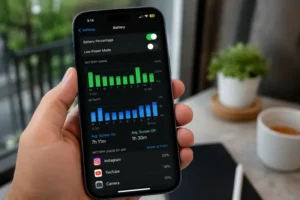
- iPhone: Settings → Battery → Battery Health
- Android: use apps like AccuBattery or built-in diagnostics
Once it dips below 80%, you’ll start noticing it:
- battery doesn’t last as long
- performance feels slightly off
- charging patterns become inconsistent
It’s not dangerous. But it is a clear sign the battery isn’t what it used to be. Best way to judge it? Don’t rely on the number alone. Pair it with how the phone actually behaves day to day.
6. Battery Percentage Jumps or Feels Inaccurate
You check it, 45%. Restart the phone, and suddenly it’s 52%. A few minutes later, it drops again. That’s not normal. When this starts happening, it usually means the phone can’t read the battery properly anymore. The numbers are there, but they’re not reliable.
You might notice things like:
- percentage jumping up after a restart
- dropping quickly without heavy use
- dying even though it showed charge left
Sometimes a simple calibration helps. Run it down fully, charge it back to 100%, and see if it settles. If it doesn’t, the battery isn’t holding steady anymore. It’s guessing and getting it wrong.
7. Swollen Battery or Phone Body Expanding (Danger Sign)
This one’s hard to miss, and shouldn’t be ignored. If the phone doesn’t sit flat anymore, or the screen looks slightly lifted, something’s pushing from inside. That’s usually the battery. A swollen battery builds pressure. It can bend the frame, lift the display, even crack things open if left too long.
Watch for:
- back panel starting to bulge
- screen edges lifting or separating
- phone rocking slightly on a flat surface
If you notice any of this, stop using it. Don’t charge it. Don’t press it back into shape. Keep it somewhere safe and get it checked as soon as you can. This isn’t just wear, it’s a safety risk.
3 Hidden Signs Your Phone Battery Is Failing (Most People Miss)
People usually pick it up from daily use, the obvious stuff, fast drain, random shutdowns. These ones are easier to miss. Until they’re not.
Phone Only Works When Plugged In
You pull the cable out, and it just dies. No delay. No warning. Sometimes it even shows charge right before it shuts off. Feels like a glitch the first time. It isn’t. At that point, the battery’s not really holding anything. The phone is just borrowing power while it’s plugged in. Take that away, and there’s nothing left to run on. You can restart it, try again, hope it was a one-off. Usually it isn’t.
Battery Drains Overnight Even When Not Used
Leave it on the side overnight. No heavy apps, no usage. Still wake up and it’s dropped more than you expected. That’s where you start thinking, why is my phone battery draining so fast all of a sudden.
A small drop is normal. Always has been. But when it’s noticeably more, and keeps happening, Apps can cause drain. But this feels different. It keeps happening even when nothing’s running. Switch it to airplane mode one night and check again. If it still falls, that’s your answer. The battery’s just not holding on the way it used to.
Phone Feels Slower Due to Battery Throttling
This one’s easy to blame on “the phone getting old”. Sometimes it’s the battery struggling in the background. When it can’t deliver power cleanly, the phone quietly slows things down to avoid crashing. You don’t get an alert for it. You just notice things taking longer. Opening apps, switching screens, that slight delay. Nothing dramatic. Just enough to feel off.
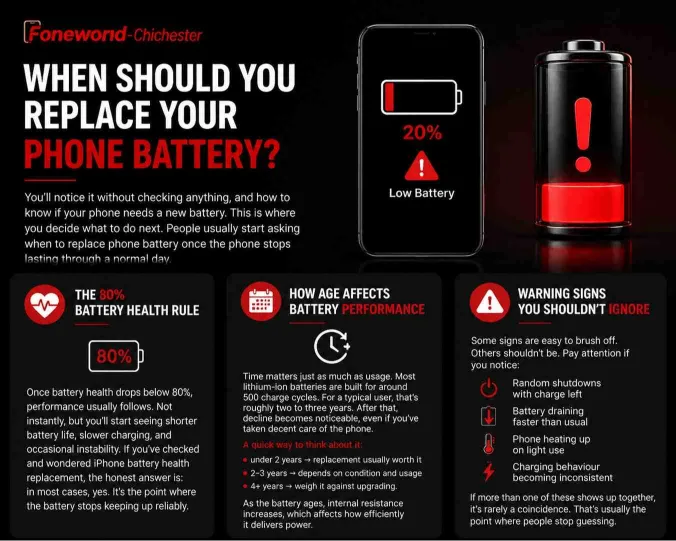
When Should You Replace Your Phone Battery?
You’ll notice it without checking anything, and how to know if your phone needs a new battery. This is where you decide what to do next. People usually start asking when to replace phone battery once the phone stops lasting through a normal day.
The 80% Battery Health Rule
There’s a simple benchmark people use. Once battery health drops below 80%, performance usually follows. Not instantly, but you’ll start seeing shorter battery life, slower charging, and occasional instability. If you’ve checked and wondered iPhone battery health replacement , the honest answer is: in most cases, yes. It’s the point where the battery stops keeping up reliably.
How Age Affects Battery Performance
Time matters just as much as usage. Most lithium-ion batteries are built for around 500 charge cycles. For a typical user, that’s roughly two to three years. After that, decline becomes noticeable, even if you’ve taken decent care of the phone.
A quick way to think about it:
- under 2 years → replacement usually worth it
- 2–3 years → depends on condition and usage
- 4+ years → weigh it against upgrading.
As the battery ages, internal resistance increases, which affects how efficiently it delivers power
Warning Signs You Shouldn’t Ignore
Some signs are easy to brush off. Others shouldn’t be.
Pay attention if you notice:
- random shutdowns with charge left
- battery draining faster than usual
- phone heating up on light use
- charging behaviour becoming inconsistent
If more than one of these shows up together, it’s rarely a coincidence. That’s usually the point where people stop guessing.
Battery Replacement vs New Phone: What Actually Makes More Sense?
A common question is how long does a phone battery last, for most people, it’s around two to three years before performance starts dropping. If the phone still runs well and does what you need, replacing the battery can give it another year or two without much cost. But if performance is already struggling, or you were planning to upgrade anyway, putting money into a battery might not make sense.
A simple way to decide:
- phone still fast → replace the battery
- phone already slow → consider upgrading
- multiple issues (battery + screen + lag) → new phone is safer
In a lot of real cases, especially where people hold onto devices longer, a battery swap is the cheaper and more practical fix.
Can You Replace a Phone Battery Yourself?
You can. Most people don’t need to. Phones aren’t built to open easily anymore. One slip and you’re dealing with a broken screen instead of a battery. If you’ve done this kind of thing before, fair enough. Otherwise, it’s quicker, and usually cheaper in the long run, to let a technician handle it. Less risk. Less hassle.
Is a Swollen Phone Battery Dangerous?
Yes. Don’t ignore it. If the phone looks uneven, or the screen is lifting slightly, something inside is pushing out. That’s the battery. If you’re wondering is a swollen phone battery dangerous to use, it is, not later, now.
What to do:
- turn it off
- don’t charge it
- keep it somewhere safe
- get it checked
This isn’t about performance anymore.
How to Make Your Phone Battery Last Longer
You won’t stop battery wear, but you can slow it down. If you’re seeing more than one of these signs, it’s usually not worth waiting, the problem rarely improves on its ow
Keep it simple:
- don’t let it hit 0% too often
- avoid leaving it at 100% all night
- keep it cool while charging
- cut down background activity
Nothing complicated. Just small habits that add up.
Quick Battery Check Before You Decide
Before replacing anything, run through this once:
- leave the phone idle for 1 hour → check drop
- try a different charger → rule out accessories
- check battery health (iPhone/Android)
- notice heat or sudden shutdowns
If two or more feel familiar, you’re not guessing anymore, the battery is the issue.
Should You Replace Your Phone Battery Now or Wait?
At that point, you already know. The phone just isn’t reliable anymore. If you’re dealing with things like swelling, random shutdowns, or clearly reduced battery capacity, waiting doesn’t really help, it just makes the device less reliable over time. On the other hand, if it’s only slight battery drain and your phone still gets through the day, you’ve got a bit of room before it becomes urgent. Lithium-ion batteries don’t recover once they start wearing out, they only decline. So the real question is simple — is your phone still dependable when you need it, or are you starting to work around its limits?